Pristine — Clean Desktop for Mac
One click or one shortcut hides your desktop icons and widgets.
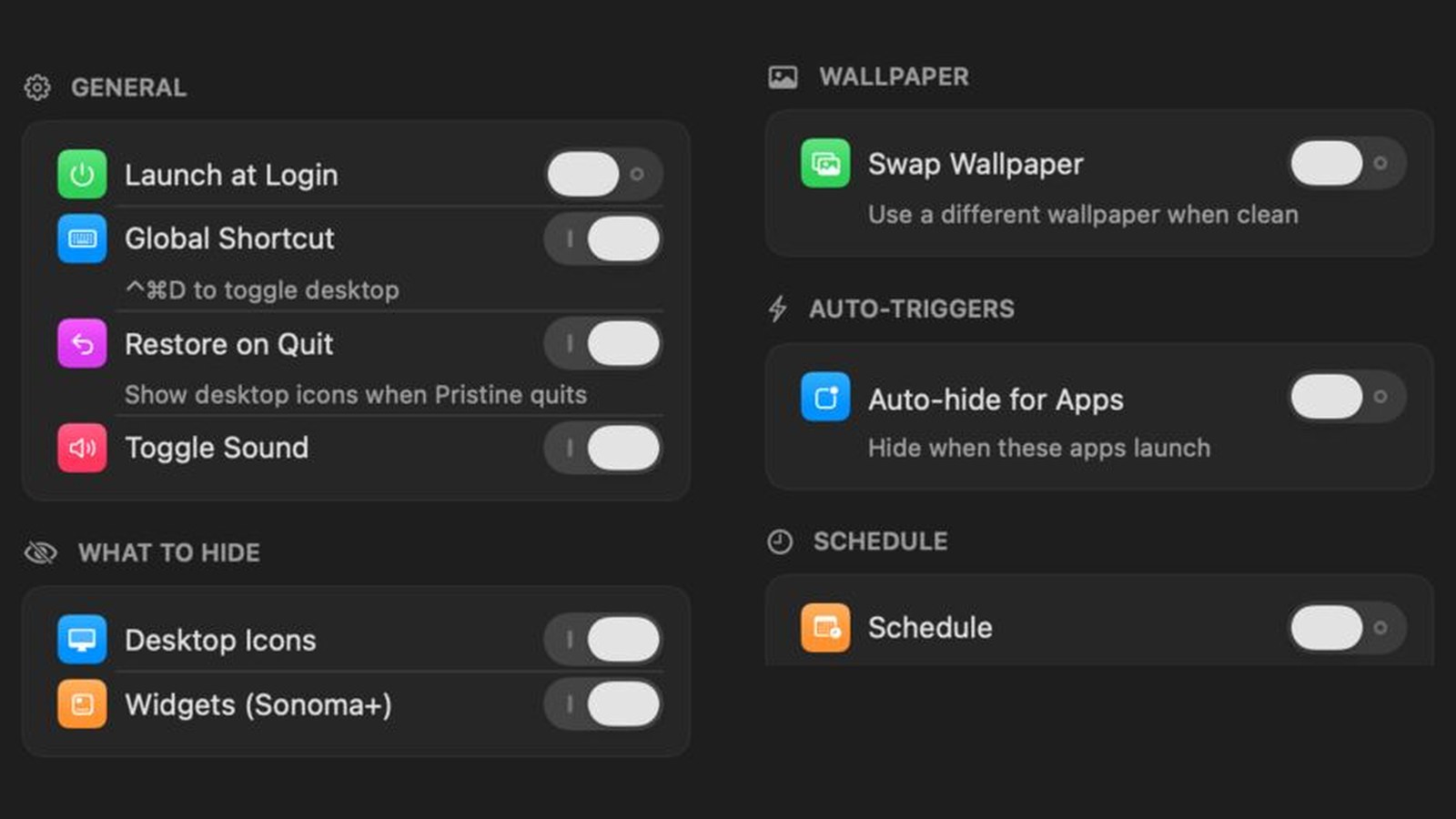
Pristine is a Mac menu-bar utility that hides desktop icons and widgets with one click. I design and build it on my own in Swift. It is not in the Mac App Store yet.
Pristine lives in the Mac menu bar. Click it, or press Control-Command-D, and the desktop icons and widgets disappear. Click again and they come back. It can do this by itself when Zoom, Keynote or OBS starts, or on a schedule. It has no Dock icon and uses no outside code libraries. It is not in the Mac App Store yet.
- Role
- Solo — design & code
- Timeline
- 2026 — ongoing
- Stack
- Swift 5.9 · AppKit (lifecycle) · SwiftUI (settings) · Carbon (hotkey) · XcodeGen
What it does
A clean desktop, by hand or by itself.
Ways to clean up.
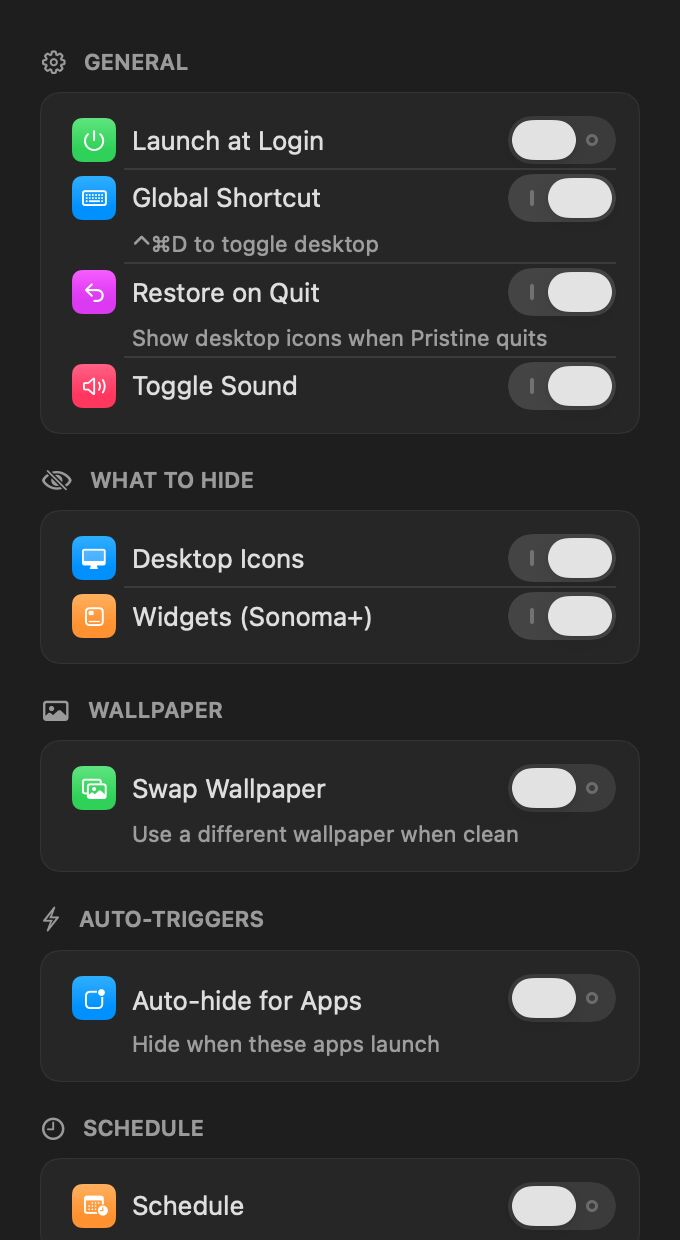
- One click or one shortcut — Click the menu-bar icon or press Control-Command-D. The icon shows which state you are in.
- Icons and widgets — Choose what to hide: desktop icons, widgets (macOS 14 and later), or both.
- Auto-hide for apps — The desktop hides when Zoom, Keynote, OBS or the macOS screen-capture tool starts.
- Schedule and wallpaper — Hide it during set hours, on weekdays only if you like, and swap to a plain wallpaper while it is clean.
How it is built
Small, native, no dependencies.
Plain AppKit and SwiftUI.
The app runs on AppKit, and the settings panel is SwiftUI. The shortcut is a Carbon hotkey. To hide the icons it changes a Finder setting and restarts Finder. To hide widgets it changes a WindowManager setting. By default, quitting puts everything back.
Next project: WasherRent — Appliance Rentals